Tóm tắt nhanh
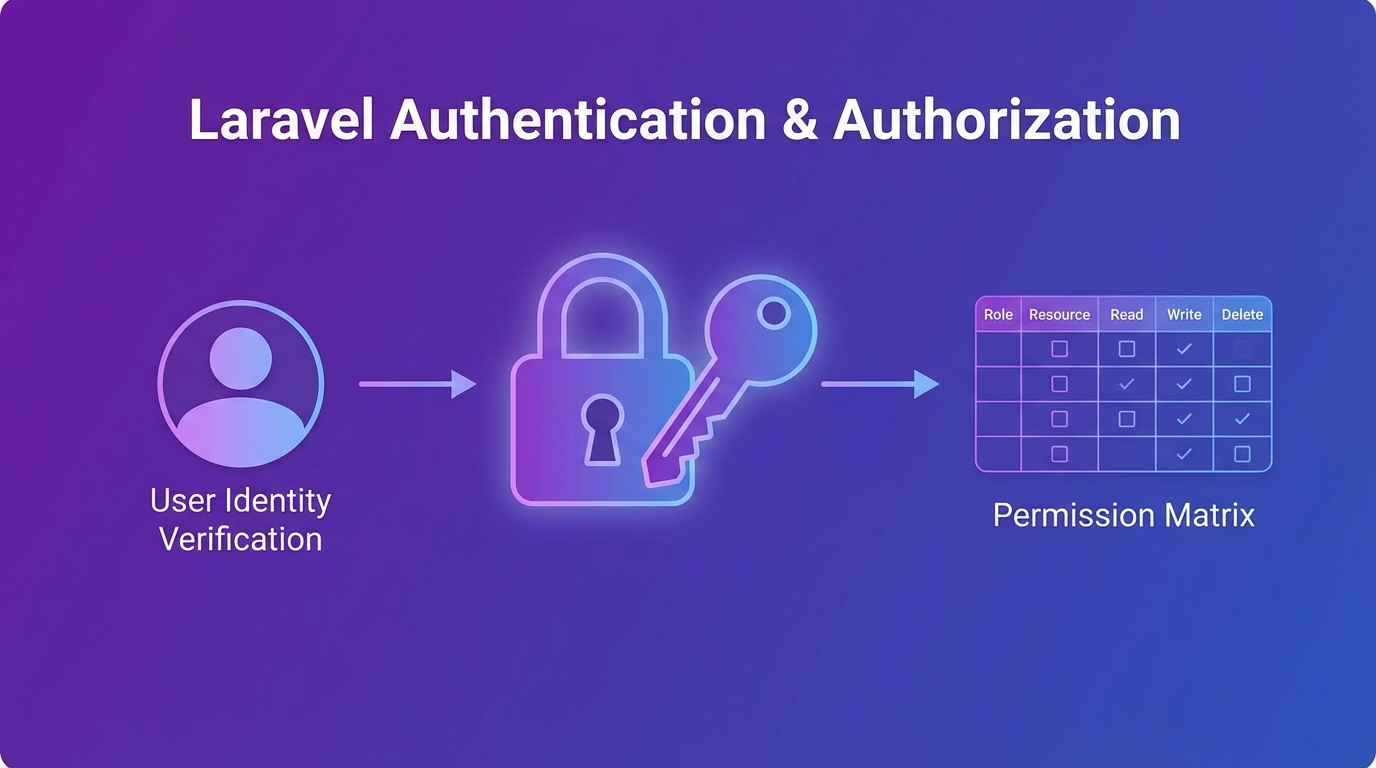
- Authentication (xác thực) trả lời câu hỏi “Ai đang truy cập?” — dùng Laravel Breeze, Fortify hoặc Sanctum
- Authorization (phân quyền) trả lời câu hỏi “User này được làm gì?” — dùng Policies và Gates
- Breeze cho web app đơn giản, Sanctum cho SPA/API, Fortify cho custom auth
- Policy dùng cho model-specific permissions, Gate dùng cho actions không gắn model
- Luôn validate permissions ở server-side, không chỉ ẩn button ở frontend
Authentication vs Authorization: Khác nhau thế nào?
Authentication (xác thực) trả lời câu hỏi “Ai đang truy cập?” — kiểm tra identity của user. Authorization (phân quyền) trả lời câu hỏi “User này được phép làm gì?” — kiểm tra permissions [1]. Nếu bạn đang tìm hiểu về nâng cấp Laravel, hãy đọc bài Nâng Cấp Laravel 13: Checklist Chi Tiết nhé!
Bạn có thể hình dung đơn giản:
- Authentication: Kiểm tra CMND/ CCCD khi vào tòa nhà — “Bạn là ai?”
- Authorization: Kiểm tra thẻ VIP/ thẻ nhân viên — “Bạn được vào tầng nào?”
Thú vị nhỉ! Nhiều dev vẫn nhầm lẫn hai khái niệm này, dẫn đến hệ thống bảo mật lỏng lẻo.
Một bài học quan trọng: Đừng bao giờ trì hoãn authorization. Càng nhiều screens và APIs, bạn càng dễ bỏ sót các checks — và đó là cách các vụ leak data xảy ra [2].
Các công cụ xác thực trong Laravel
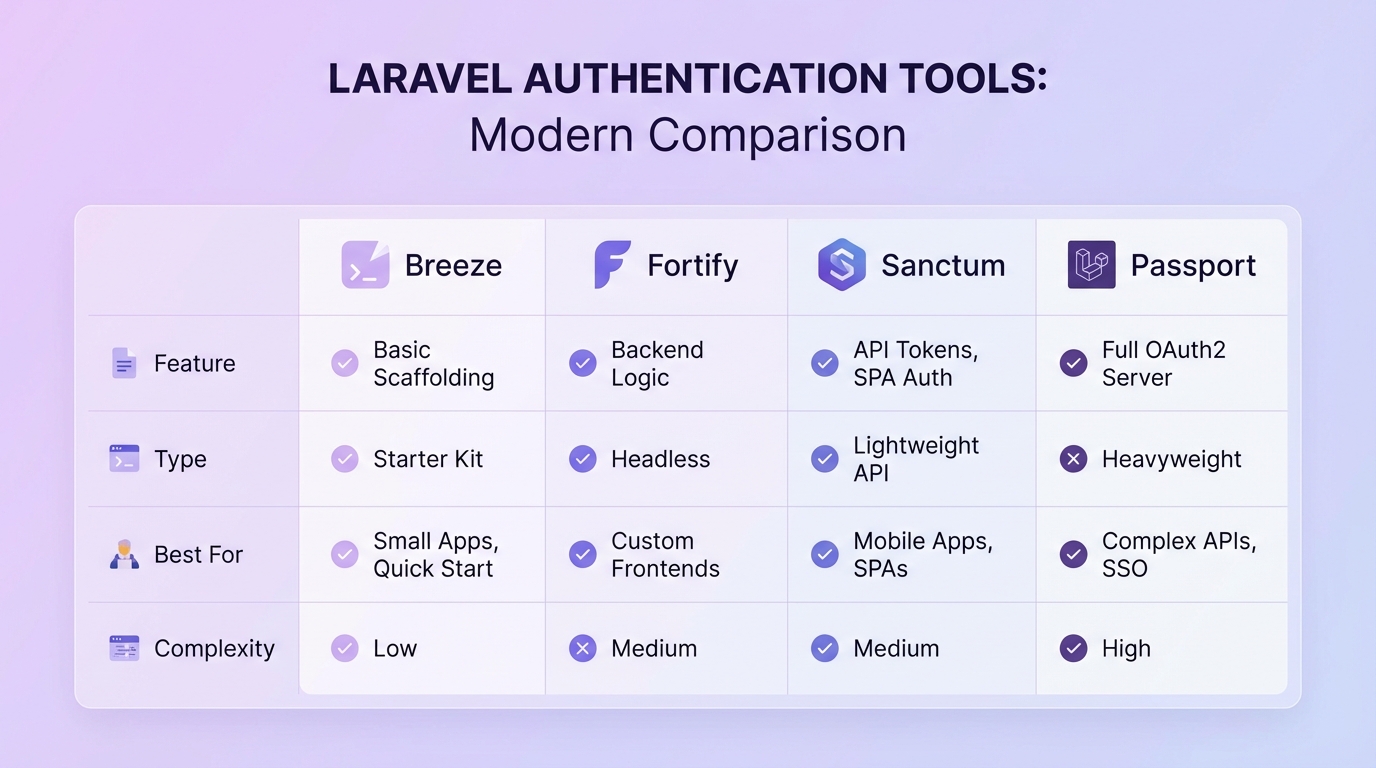
Laravel cung cấp nhiều công cụ authentication, mỗi công cụ phù hợp với different use cases.
1. Laravel Breeze
Cho web app đơn giản nhất. Breeze cung cấp đầy đủ authentication flow: login, register, logout, forgot password — với minimal UI. Đây là cách nhanh nhất để bắt đầu [3].
Phù hợp: MVP, consumer-facing apps, projects cần auth nhanh.
2. Laravel Fortify
Cho custom UI nhưng dùng Laravel authentication backend. Fortify là headless authentication — bạn tự build UI, Fortify xử lý logic phía sau.
Phù hợp: Khi cần custom giao diện nhưng vẫn dùng Laravel’s auth features.
3. Laravel Sanctum
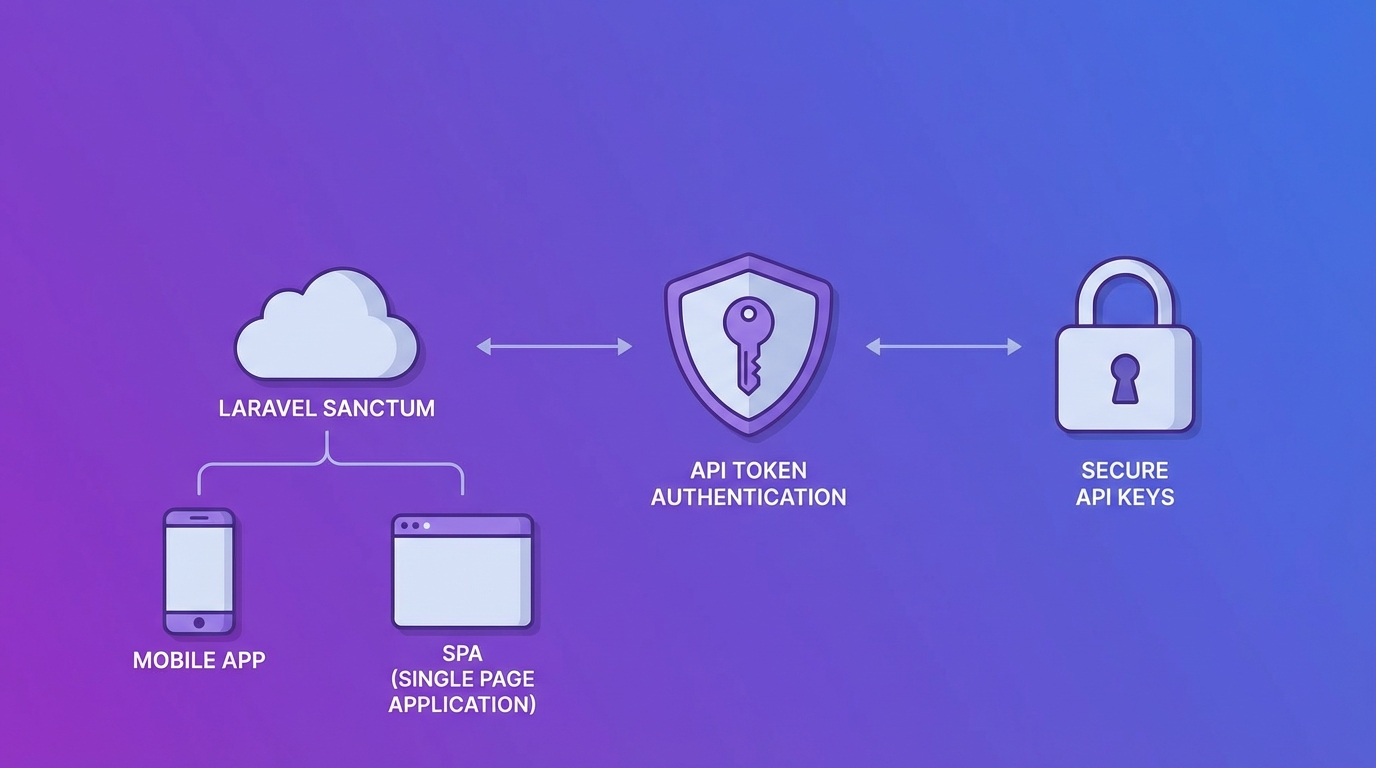
Cho SPA (Single Page Applications) và API token authentication. Sanctum cung cấp simple token-based auth cho mobile apps hoặc SPAs (Vue, React) [4].
Phù hợp: Vue/React apps, mobile apps, APIs cần simple token auth.
4. Laravel Passport
Cho OAuth2 authorization server. Passport phù hợp khi bạn cần build API cho third-party developers.
Phù hợp: APIs cần OAuth2, third-party integrations.
Cài đặt Laravel Breeze
Breeze là cách nhanh nhất để có hệ thống authentication hoàn chỉnh.
composer require laravel/breeze --dev
php artisan breeze:install
npm install && npm run dev
Sau khi cài đặt, bạn có:
- Login/Registration pages
- Password reset flow
- Email verification (tùy chọn)
- Protected routes
Lệnh breeze:install hỏi bạn chọn stack (Blade, Vue, React) và testing framework.
Tip: Với Laravel 13, Breeze đã tích hợp sẵn passkey support (WebAuthn) — bạn có thể đăng nhập bằng Face ID hoặc fingerprint!
Cài đặt Laravel Sanctum cho API
Sanctum là lựa chọn hoàn hảo cho SPA và mobile apps.
composer require laravel/sanctum
php artisan vendor:publish --provider="Laravel\Sanctum\SanctumServiceProvider"
php artisan migrate
Thêm trait vào User model:
use Laravel\Sanctum\HasApiTokens;

class User extends Authenticatable
{
    use HasApiTokens, Notifiable;
}
Tạo API token cho user:
$token = $user->createToken('auth-token')->plainTextToken;Sanctum cung cấp:
- Token-based authentication
- Scoped tokens (hạn chế permissions)
- Session-based auth cho SPAs
- Simple setup, minimal overhead
Phân quyền với Policies
Policies là cách centralize authorization logic cho từng model. Thay vì scattering các permission checks khắp nơi, bạn đặt tất cả vào Policy [5].
Tạo Policy:
php artisan make:policy PostPolicy --model=PostĐịnh nghĩa authorization rules:
// app/Policies/PostPolicy.php
public function update(User $user, Post $post): bool
{
    return $user->id === $post->user_id;
}

public function delete(User $user, Post $post): bool
{
    return $user->id === $post->user_id || $user->isAdmin();
}
Sử dụng trong Controller:
public function update(Request $request, Post $post)
{
    $this->authorize('update', $post);

    // Update post...
}
Hoặc sử dụng trong Route:
Route::put('/posts/{post}', function (Post $post) {
    //
})->middleware('can:update,post');
Sử dụng trong Blade:
@can('update', $post)
    <button>Edit Post</button>
@endcan
Clean. Readable. Beautiful! 😌 Centralize tất cả permissions vào một chỗ, khi cần sửa chỉ sửa ở Policy thay vì tìm kiếm khắp 50 controllers [6].
Phân quyền với Gates
Gates dùng cho authorization checks mà không gắn với model cụ thể. Ví dụ: admin console access, feature flags [5].
Định nghĩa Gate trong AppServiceProvider hoặc AuthServiceProvider:
use Illuminate\Support\Facades\Gate;

Gate::define('access-admin', function (User $user) {
    return $user->isAdmin();
});

Gate::define('view-analytics', function (User $user) {
    return $user->hasPermission('analytics.view');
});
Sử dụng Gate:
// Trong controller
if (Gate::allows('access-admin')) {
    // Show admin features
}

// Hoặc abort nếu không được phép
Gate::authorize('access-admin');
Trong Blade:
@can('access-admin')
    <a href="/admin">Admin Panel</a>
@endcan

@cannot('access-admin')
    <p>Bạn không có quyền truy cập.</p>
@endcannot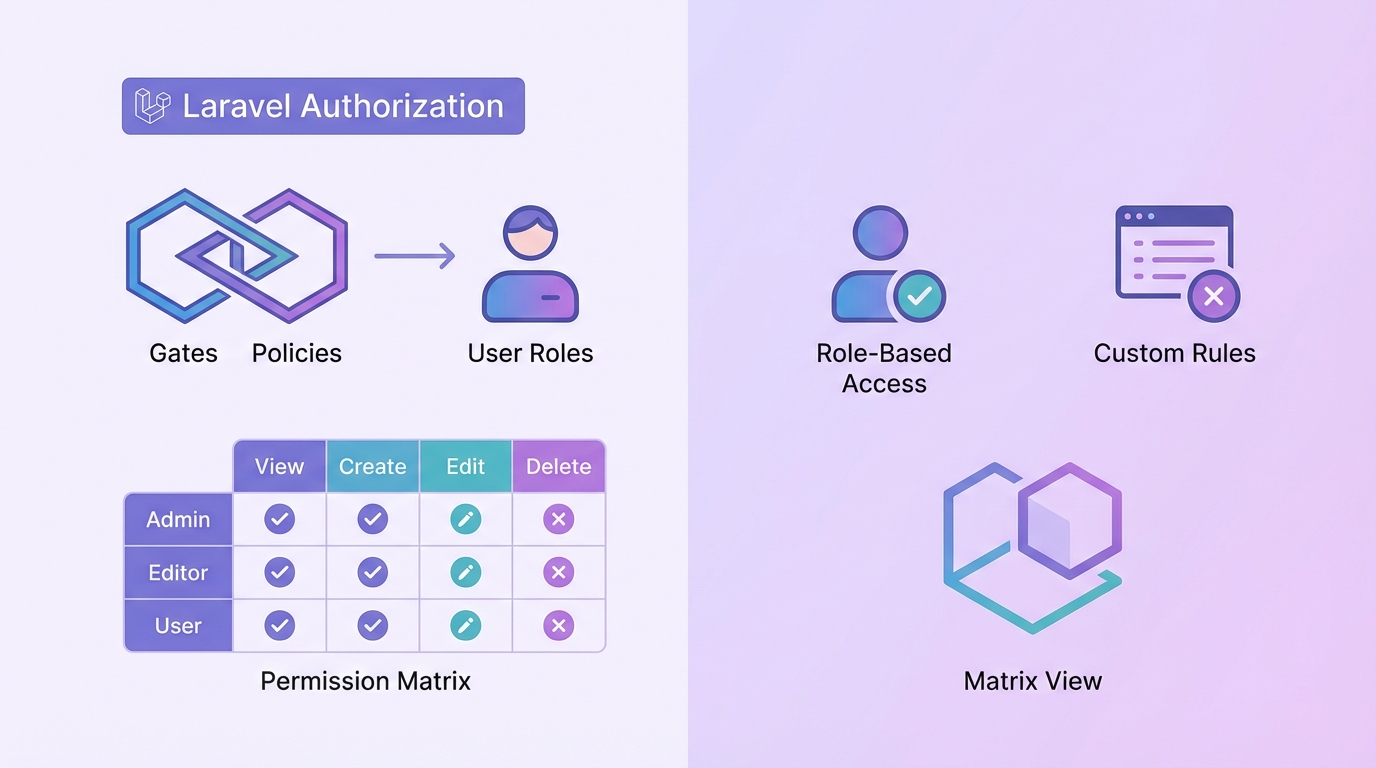
MFA – Bảo mật nâng cao
Multi-Factor Authentication (MFA) thêm lớp bảo mật ngoài password. Ngay cả khi password bị leak, attacker vẫn không thể truy cập được [7].
Enable 2FA với Laravel Fortify:
use Laravel\Fortify\Features;

config(['fortify' => [
    'features' => [
        Features::twoFactorAuthentication([
            'confirmPassword' => true,
        ]),
    ],
]]);
Cài đặt Google 2FA package:
composer require pragmarx/google2fa-laravel
php artisan vendor:publish --provider="PragmaRX\Google2FA\Google2FAServiceProvider"
Thêm vào User model:
use PragmaRX\Google2FALaravel\Google2FA;

public function google2fa_secret()
{
    return $this->hasOne(Google2FASecret::class);
}
Với Laravel 13 và Passkeys, bạn có thể đăng nhập bằng Face ID, fingerprint, hoặc hardware keys — không cần password! Đây là future của authentication [8].
Lời khuyên của mình: Enable MFA cho tất cả admin accounts và high-privilege roles. Đây là cách đơn giản nhất để giảm đáng kể account takeovers.
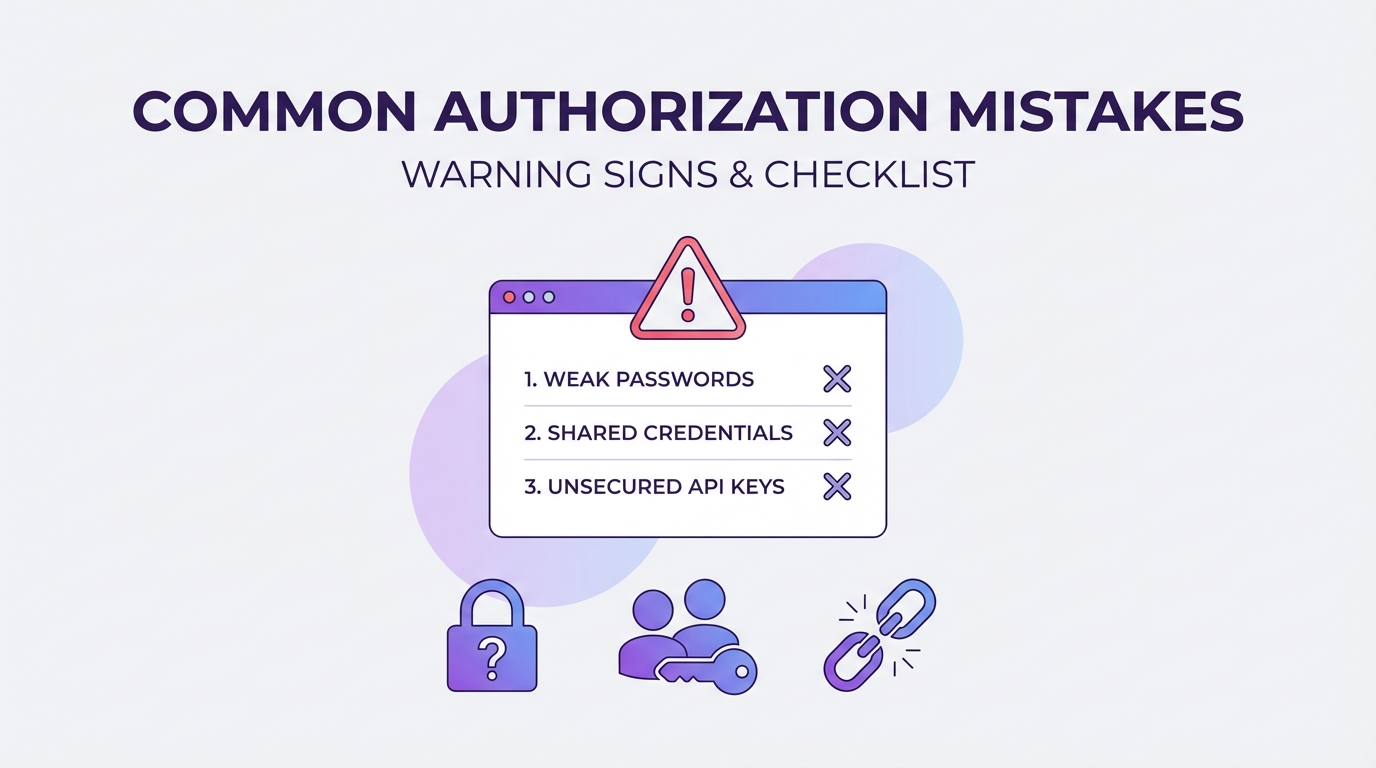
Các lỗi thường gặp
Biết các lỗi phổ biến giúp bạn tránh chúng từ đầu.
Lỗi 1: Chỉ kiểm tra auth ở frontend
Nguy hiểm: Chỉ ẩn button bằng CSS/JavaScript, không validate ở server.
Cách fix: Luôn dùng $this->authorize() hoặc Gate trong controller.
Lỗi 2: Scattered permission checks
Nguy hiểm: Mỗi controller có các logic kiểm tra khác nhau.
Cách fix: Centralize vào Policies và Gates.
Lỗi 3: IDOR (Insecure Direct Object References)
Nguy hiểm: User A có thể xem/chỉnh sửa data của User B bằng cách thay đổi ID trong URL.
Cách fix: Luôn kiểm tra ownership trong Policy.
Lỗi 4: Không rate limit auth routes
Nguy hiểm: Brute force attacks có thể thử password không giới hạn.
Cách fix: Add rate limiting vào login routes:
RateLimiter::for('login', function (Request $request) {
    return Limit::perMinute(5)->by($request->email);
});
Lỗi 5: Password reset leak user existence
Nguy hiểm: Thông báo “Email không tồn tại” cho attacker biết email nào đã đăng ký.
Cách fix: Dùng chung message cho cả email tồn tại và không tồn tại.
Tổng kết
Xây dựng hệ thống Authentication và Authorization trong Laravel không khó nếu bạn hiểu đúng các khái niệm và công cụ:
- Authentication: Dùng Breeze cho web app đơn giản, Sanctum cho SPA/API, Fortify cho custom UI
- Authorization: Dùng Policies cho model-specific permissions, Gates cho actions không gắn model
- Bảo mật nâng cao: Enable MFA, rate limiting, luôn validate ở server-side
Đừng bao giờ scattered các permission checks — centralize chúng trong Policies và Gates. Khi cần thay đổi logic, bạn sẽ biết chỗ cần sửa!
Nếu bạn có câu hỏi hoặc cần hướng dẫn chi tiết hơn → để lại comment nhé!
Đừng quên share bài này nếu thấy hữu ích!
Nguồn tham khảo
- Greeden – Building Laravel Authentication & Authorization the Right Way
- Benjamin Crozat – Laravel Security Best Practices 2026
- Umar Waqas – Laravel Best Practices for Secure Web Applications
- WorkOS – Top Authentication Solutions for Laravel 2026
- Anuragh K P – Laravel Policies & Gates
- Nuffing – Security Blueprint for Enterprise Laravel
- Orbitwebtech – Laravel Authentication Best Practices
Các câu hỏi thường gặp
Authentication và Authorization khác nhau thế nào trong Laravel?
Authentication (xác thực) trả lời “Ai đang truy cập?” — kiểm tra identity của user (login, register). Authorization (phân quyền) trả lời “User này được phép làm gì?” — kiểm tra permissions (Policies, Gates).
Nên dùng Breeze hay Sanctum cho Laravel?
Breeze cho traditional web applications cần đầy đủ auth flow (login, register, password reset). Sanctum cho SPA (Vue/React) hoặc mobile apps cần API token authentication. Fortify cho custom UI nhưng dùng Laravel auth backend.
Khi nào dùng Policy vs Gate trong Laravel?
Policy dùng cho model-specific permissions (vd: user có thể edit bài viết của chính mình). Gate dùng cho actions không gắn với model cụ thể (vd: admin access, feature flags).
Làm sao防止 IDOR trong Laravel?
Sử dụng Policies để kiểm tra ownership, scope queries theo owner/tenant, và luôn authorize access ở server-side. Không bao giờ tin tưởng frontend controls.
Laravel 13 có hỗ trợ Passkey/Face ID không?
Có! Laravel 13 tích hợp sẵn passkey support (WebAuthn) trong Breeze và Fortify. Bạn có thể đăng nhập bằng Face ID, fingerprint, hoặc hardware keys mà không cần password.
Cần làm gì để bảo mật authentication trong production?
Enable MFA cho admin accounts, rate limit login routes, sử dụng strong password policy, luôn validate permissions ở server-side, sử dụng HTTPS, và giữ APP_KEY bí mật.